
Custom build notifications
We’ve all been there:
You click “Save”, send an email, or delete a record – and… nothing happens. Or at least it feels like nothing happens. Sure, the operation is running in the background, but what’s missing is user feedback. And that’s key: the user needs to know the system received the input and executed it correctly.
Of course, the classic solution exists:
MsgBox "The recordset got deleted!", vbInformation, "Information"
But let’s be honest: do we really want a message box every single time, showing the same information over and over – and requiring the user to click "OK"? Probably not.
The Alternative: Sleek, Minimal Feedback Notifications
I’ve created a simple yet powerful solution:
A small function that briefly dims the screen and displays an icon in the center with a short message. No buttons, no interruptions – just clean, instant communication with the user.
What’s more:
- You can adjust the display duration
- Choose your own background color
- And customize the icon/message freely
Instead of the classic MsgBox, just use: myNotification dlgType_DeletedOK
It’s shorter. Sleeker. And thanks to IntelliSense, even faster to write.
How it looks like:
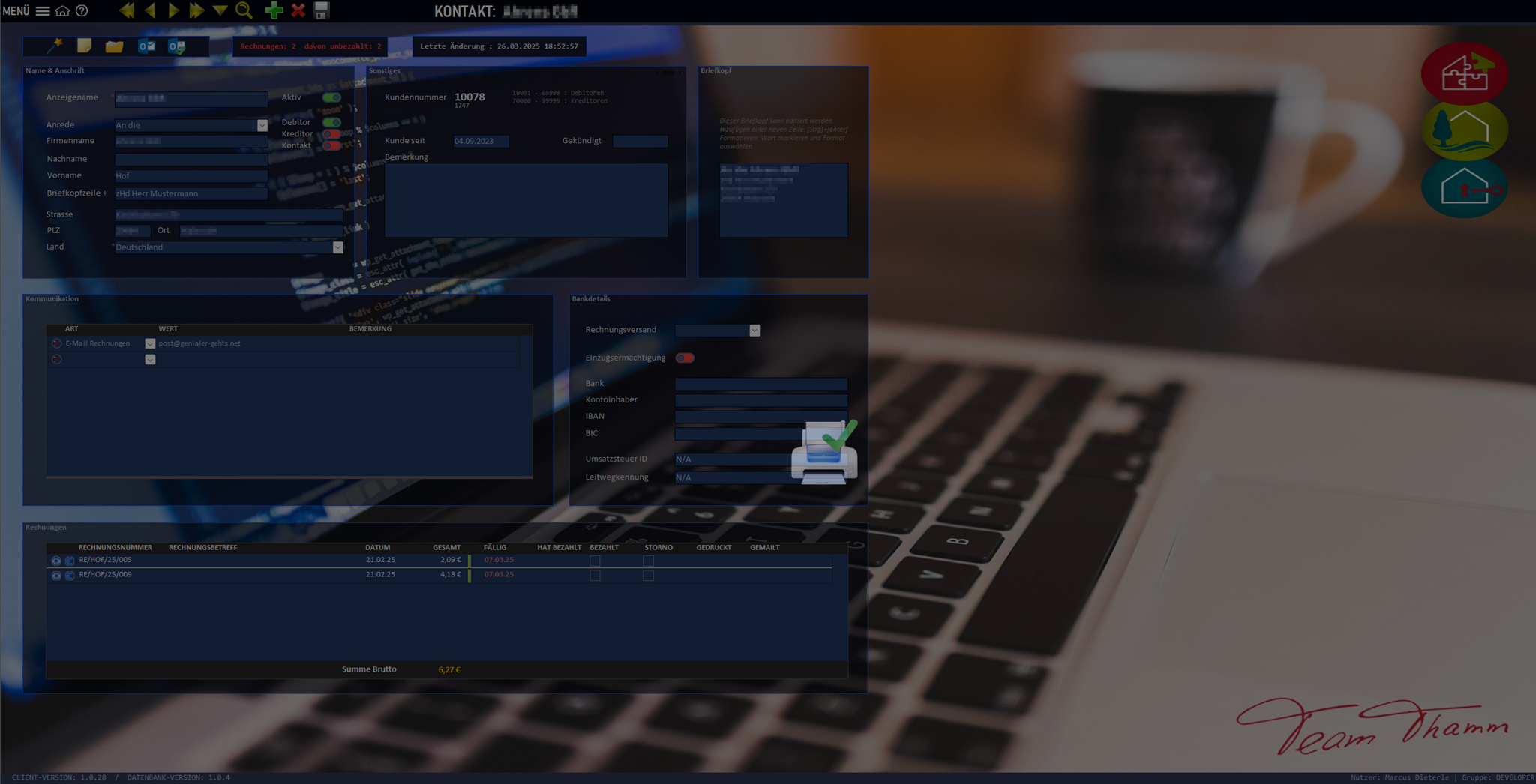

An icon is simply displayed in the middle of the screen for the set time. A picture is worth a thousand words.
Here’s What You Need:
1. tblDLG_Notification
A simple table with two fields:
- DialogType (name)
- Attachment field for your icons
2. frmDLG_Notification
A form that only shows the image from the table. This is where you define image size and visual layout.
3. modDLG_Notification
A module that contains:
- An Enumeration of your dialog types (needed for IntelliSense)
- Core functions that handle the display (no changes needed here)
Creating a New Dialog in Seconds:
- Add your desired image to tblDLG_Notification
- Give it a clear name
- Add that name to the Enumeration in modDLG_Notification
That’s it!
With this little addition, your Access app becomes more responsive, intuitive, and let’s face it – a lot more fun to use.
This small extension not only makes your Access interface more intuitive, but also a whole lot “sexier”.
You can find the detailed description and all notes directly in the code - well documented as usual.
 A little donation


