

SQL-to-HTML for MS Access – SQL as an Interactive Table, with a Safe Preview
Turn any SQL statement into a clean, interactive HTML table – and preview action queries before they change a single record. One line of code, and the result appears in your browser, inside an Access form, as an HTML file or as a string.
Every Access developer knows the moment: you write a DELETE or UPDATE query, press Run… and hold your breath. Did it hit the right rows? The datasheet is cramped, action queries tell you nothing before they strike, and turning a result into a readable report means copy, paste and fiddling. The SQL-to-HTML Tool solves all of that with a single line:
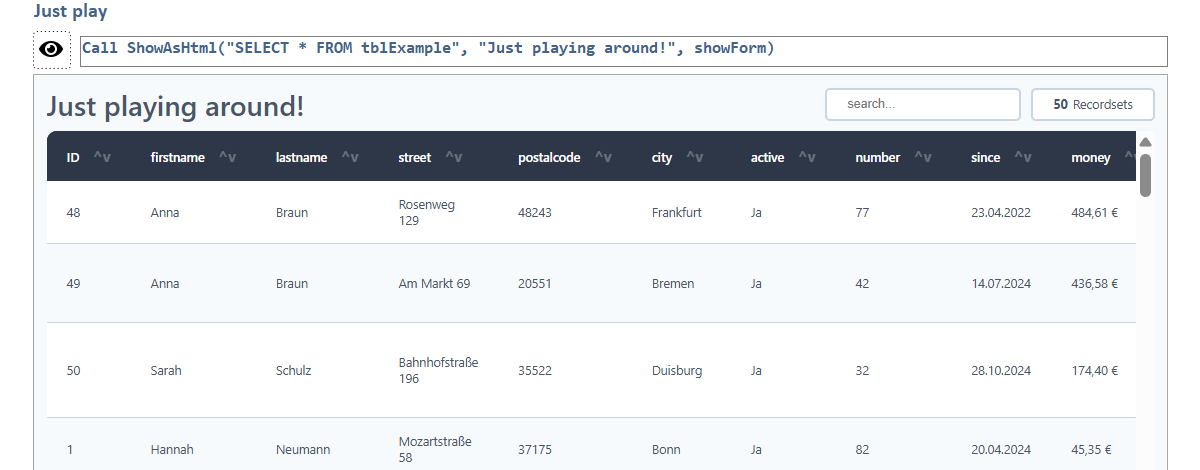
ShowAsHtml "SELECT * FROM tblCustomers", "My customers"Instantly you get a modern, styled, sortable table.
The highlight: a safe preview for action queries
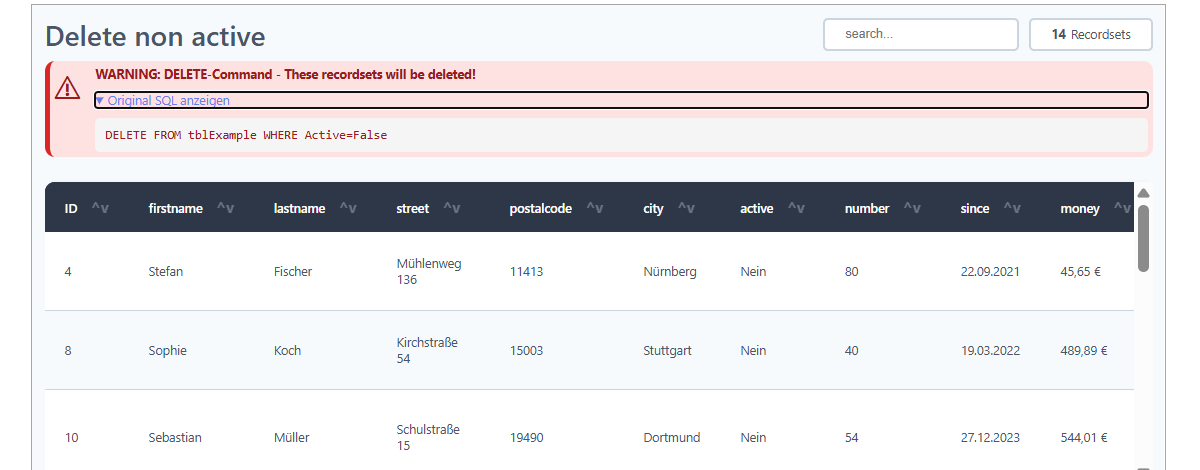
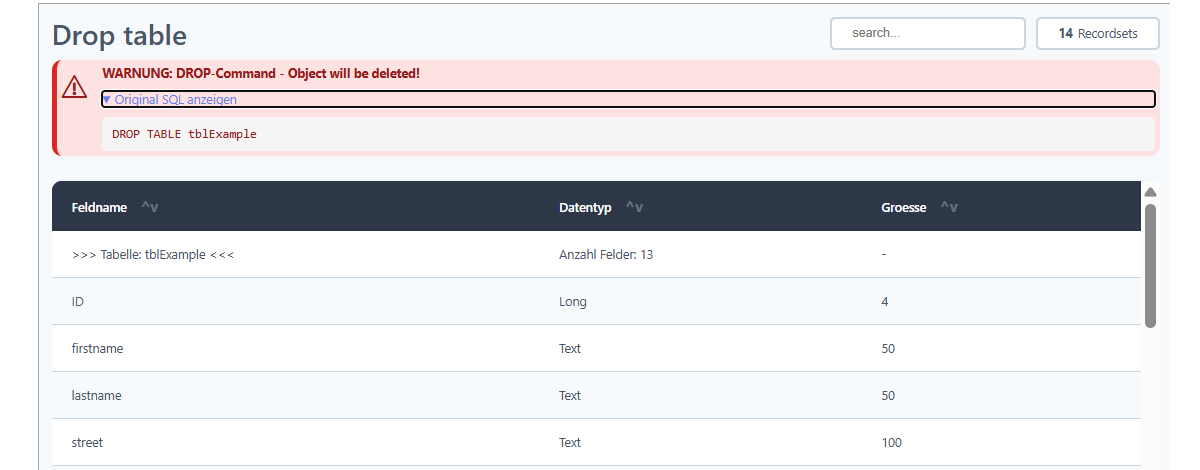
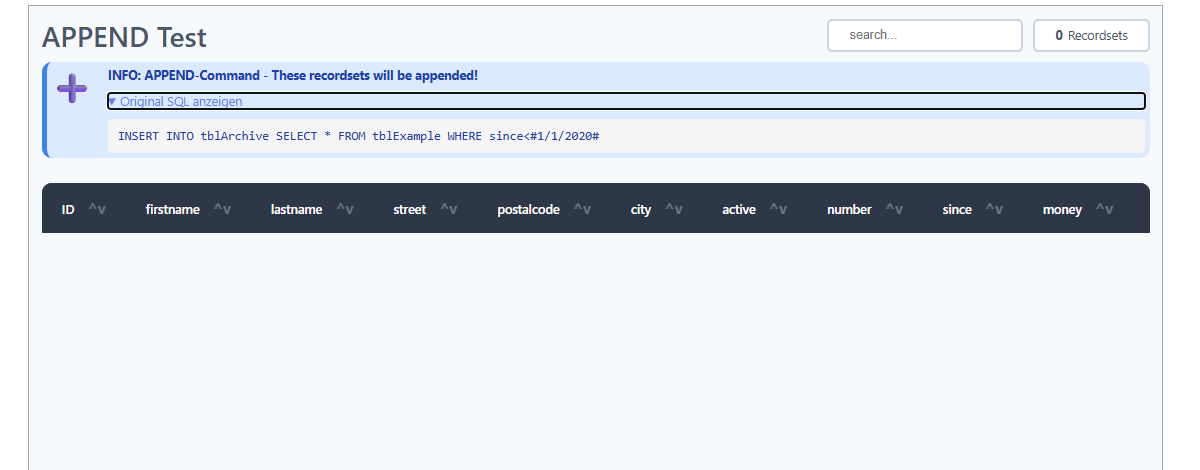
The tool does far more than display a SELECT. For every action query it builds a preview of what would happen – without touching your data:
- 🔴 DELETE / DROP – a red warning box shows exactly which records or objects would be removed.
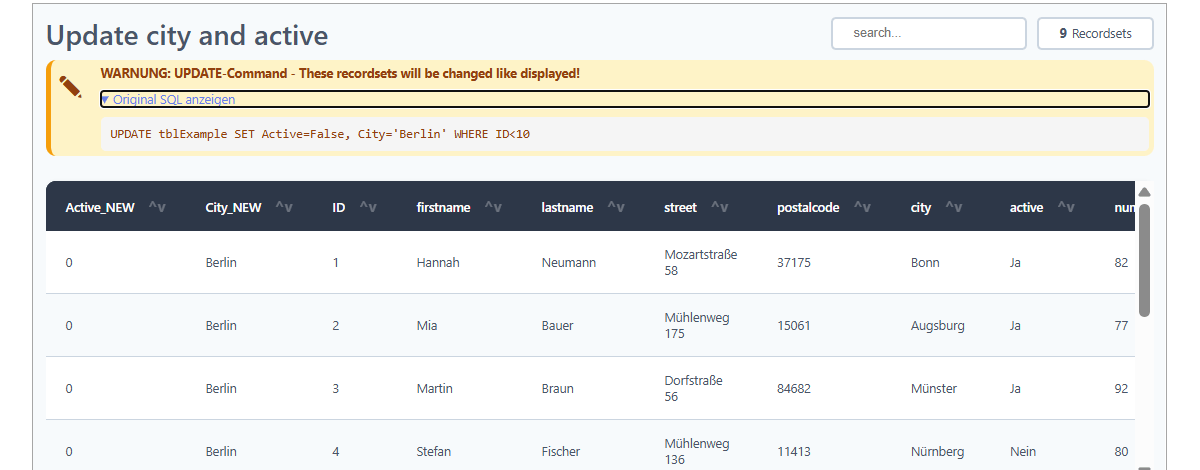
- 🟡 UPDATE / ALTER – the new values appear as extra columns, right next to the current data.
- 🔵 INSERT / APPEND / MAKE TABLE – you see the rows that would be added or written.
See before you change. No more guessing, no more “oops”.
What the HTML table gives you
- Sortable columns – click a header; sorting is type-aware for numbers, currency, dates and text.
- Live search/filter field to find any value instantly.
- Sticky header that stays visible while you scroll.
- Row & column highlighting on hover.
- Zebra striping and automatic formatting of dates, currency and numbers.
- Live record counter – always know how many rows you are looking at.
- Clean, modern, responsive design.
Four ways to output – one parameter
- 🌐 Browser – open the result in the default web browser.
- 🖥️ Access form – display it directly inside your application (Edge control).
- 📄 HTML file – save a self-contained, UTF-8 encoded file to share or archive.
- 🔢 HTML string – return the markup for e-mails, reports or further processing.
Built for real-world Access
- Runs on 32-bit and 64-bit, Microsoft 365 and Access 2021 or newer.
- Late binding – drop in one module, no reference juggling.
- HTML-injection safe – your data can never break the layout.
- Robust SQL parser – copes with quotes, commas inside values and bracketed field names.
- Built-in error logging for painless troubleshooting.
A typical use case
Before you run a bulk UPDATE on a live table, you call ShowAsHtml with the statement. The tool shows a warning banner and a table containing the current data plus the new values as additional columns. You check it, close it, and only then execute the query – with confidence instead of a held breath. Or simply hand a colleague a single HTML file of a query result that opens in any browser – no Access required.
You’ll find the detailed description directly in the code, well documented as usual.
Download
A VBA tool for MS Access that turns SQL into a sortable, searchable HTML table – with a safe preview for DELETE/UPDATE/INSERT, four output options, late binding and HTML-injection safety.